
Compaq Presario: Bad Motherboard? Sept. 5-6
- Kurt Reynolds
- Sep 9, 2020
- 3 min read
Updated: Sep 16, 2020
I recently bought a Compaq Presario CQ56-115DX for a low price of $30. The previous owner said he took it to an/a electronic/computer repair store and they told him the motherboard was bad. I asked him what it was doing and he said that it "powers on but doesn't boot up...no display on the screen". Very well. I bought it as a learning tool to enhance my computer diagnostic skills in regards to the electronics as well as increase my soldering skills (I have never soldered on a motherboard).


Teardown
The teardown to remove the motherboard from a Compaq Presario CQ56 isn't too hard with only a few minor caveats (my lack of difficulty with this may be due to the fact that I have torn apart a couple of laptops prior to this). If you do tear one of these laptops or any laptop for that matter, make sure to keep track of where exactly the screws came from as well as routing of wires; take pictures if necessary.
I hooked the motherboard back up to power by using the computer's own dc jack. I then tried to locate any area on the board that was emitting more heat than the rest by using a pyrometer. At first, the board would turn-off after about a couple of minutes or so because the CPU and surrounding components were registering anywhere from 130-155+ degrees Fahrenheit while the rest of the board stayed somewhere between 80-100 degrees except for the secondary power supply components located near the harness connector for the hard drive which hovered between 120-130 degrees. Although, once I mounted the heat sink back on the board, it stayed at cooler temperatures and remained on for the duration of my testing it for hot spots with a pyrometer (I don't remember if I plugged the fan back in or not). The secondary power supply area near the hard drive cable connector may have had higher temps due to the fact that the hard drive was not plugged in; no load for the amps to flow to.

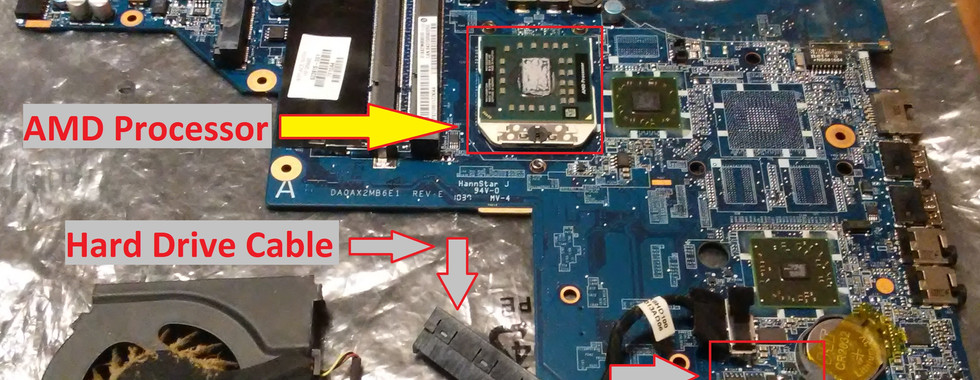


Moving along, I did find a build-up of debris (dust) between the fan and the blow-through fins attached to the heat sink. This build-up of debris is similar to what I found on my Dell Inspiron with the exception that the state of the build-up on the Inspiron was a bit thicker and extended all the way across to where one could not see through the fin tubes. However, the screen did not turn-on after remounting the heat sink to the motherboard and pressing the power button, but the backlight did come on. Now, there was no RAM mounted in the computer (nor the hard drive) but I thought the BIOS would at least boot-up without it. Nay, the BIOS will only come alive with RAM mounted to board (hard drive need not be attached).


Finally, I put the computer all back together so that I didn't lose any pieces as well as possibly forgetting the configuration of components because further testing of the motherboard was not going to happen until some indeterminate time in the future. Out of pure curiosity, I pushed the power button and the computer came to life, fully booting up to the login screen. I was very surprised; perhaps the motherboard wasn't bad after all.
To conclude, I was going to use this motherboard as a learning tool to further my electronic repair skills by rigging up various problems and then testing to find such... already known problem, but I think I may transfer all of my movies from my Inspiron over to the Compaq and use it exclusively as a "movie" server that streams to my Samsung TV. Streaming movies from my laptop is better than having to get up and insert a DVD into said player! Some might call that lazy, but I call it gettin' up-to-date with the current standards.
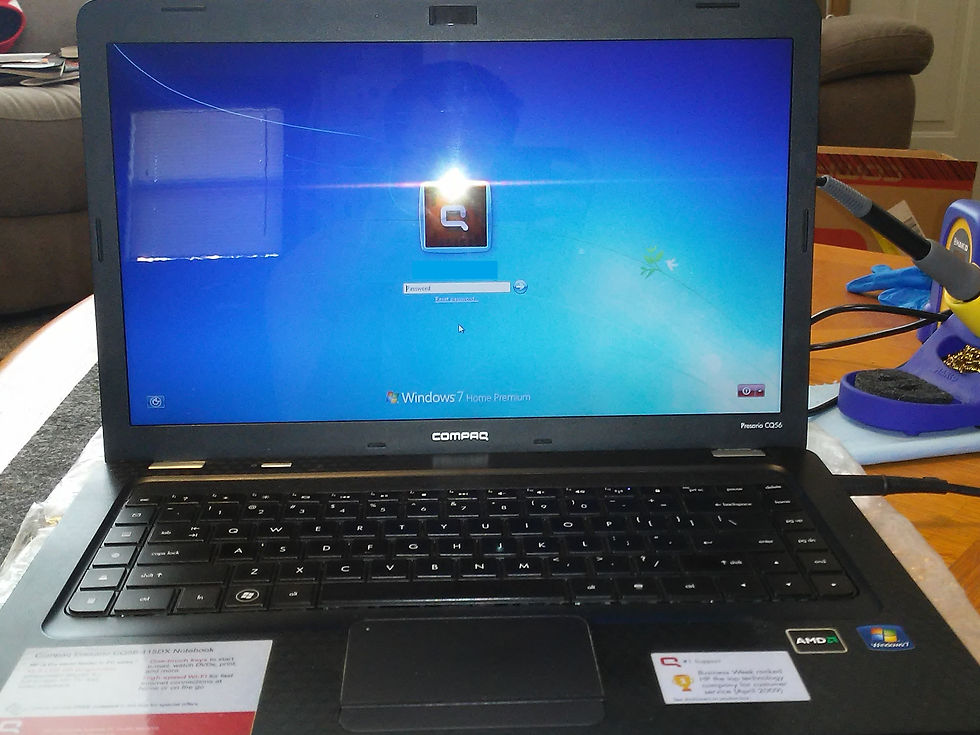

Final Note: I did have to reset the password on the previous owner's user profile. Windows 7 as well as other operating systems have "backdoors" into them. It only took me approximately ten minutes to "backdoor" into Windows 7 and reset the password; not including the time of watching a video on how to do so.


Comments